Whilst setting up an application to run on my local machine (running Vista 64bit) I encountered this error:
Could not load file or assembly ‘ChilkatDotNet2’ or one of its dependencies. An attempt was made to load a program with an incorrect format.
Obviously, the application uses ChilKat components, but it would seem that the version we are using, is only the 32bit version.
To resolve this error, I set my app pool in IIS to allow 32bit applications.
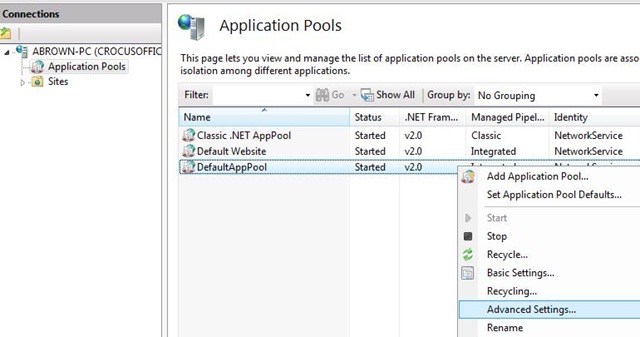
Open up IIS Manager, right click on the app pool, and select Advanced Settings (See below)
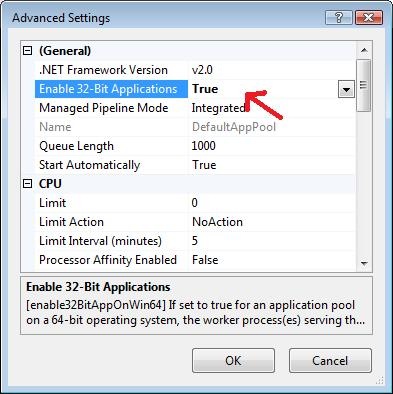
Then set “Enable 32-bit Applications” to True.
All done!