How to view Experts Exchange answers
I’m sure anyone that’s searched for solutions in Google, has fallen victim to the search engine reuslt pollution Experts Exchange employs…
They always seem to title their results, with EXACTLY what you are looking for.
When you click on it, you’re told that to view the solution, you need to sign up. Which costs money…
Sure, there is a free trial available… but who really wants that?
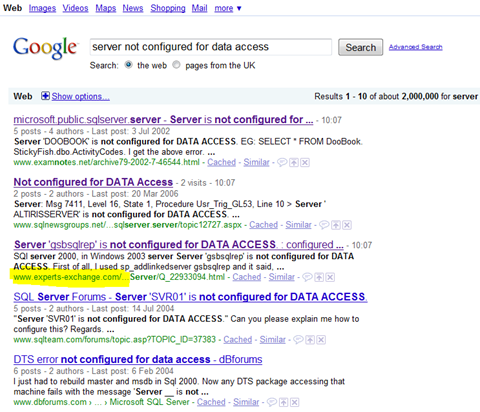
Well… the answers are indeed, freely available.
This is a condition of appearing in Google search results.
However, a slight black-hat trick is, that they’re not visible to Joe Public. Only to search engines…
You can fool the site into thinking you are a search engine, by simply copying the full experts-exchange URL from your browser, for example:
http://www.experts-exchange.com/Microsoft/Development/MS-SQL-Server/Q_22634999.html
And pasting that into the Google search box:
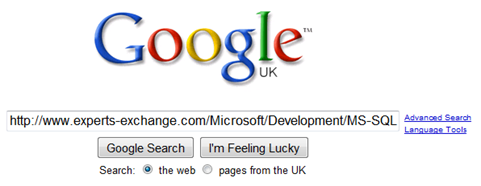
The first search result, will be a link to that URL, via Google.
Click that, and it will show you the answers! Nothing illegal, just exposing Experts Exchange black hat techniques 🙂
Experts exchange answer ARE available to the public…you just have to scroll down to the bottom of the page 🙂
this never works for me….
If you repeat your first step i.e. google “server not configured for data access” and click on the Experts-Exchange link you are referring to. Scroll down to the very bottom of the page and you will see the answers.