Why I chose 1Password over Bitwarden
I spent a while trying to move off 1Password and onto Bitwarden.
On paper it should have been an easy switch. Bitwarden is open source, it's audited, it's cheaper, and you can self-host it if you want to. For someone who runs a homelab and prefers owning the thing over renting it, that's a compelling set of boxes to tick.
I gave it a proper go, migrated everything across, and went back.
My reasons are about daily use rather than security. Bitwarden's crypto holds up, the audits are public, and I've no concerns about the model. What sent me back was the friction, which is the bit that determines whether you keep using a password manager properly or start taking shortcuts.
Being asked to prove I'm human, to log into my own vault
This was the one that wore me down.
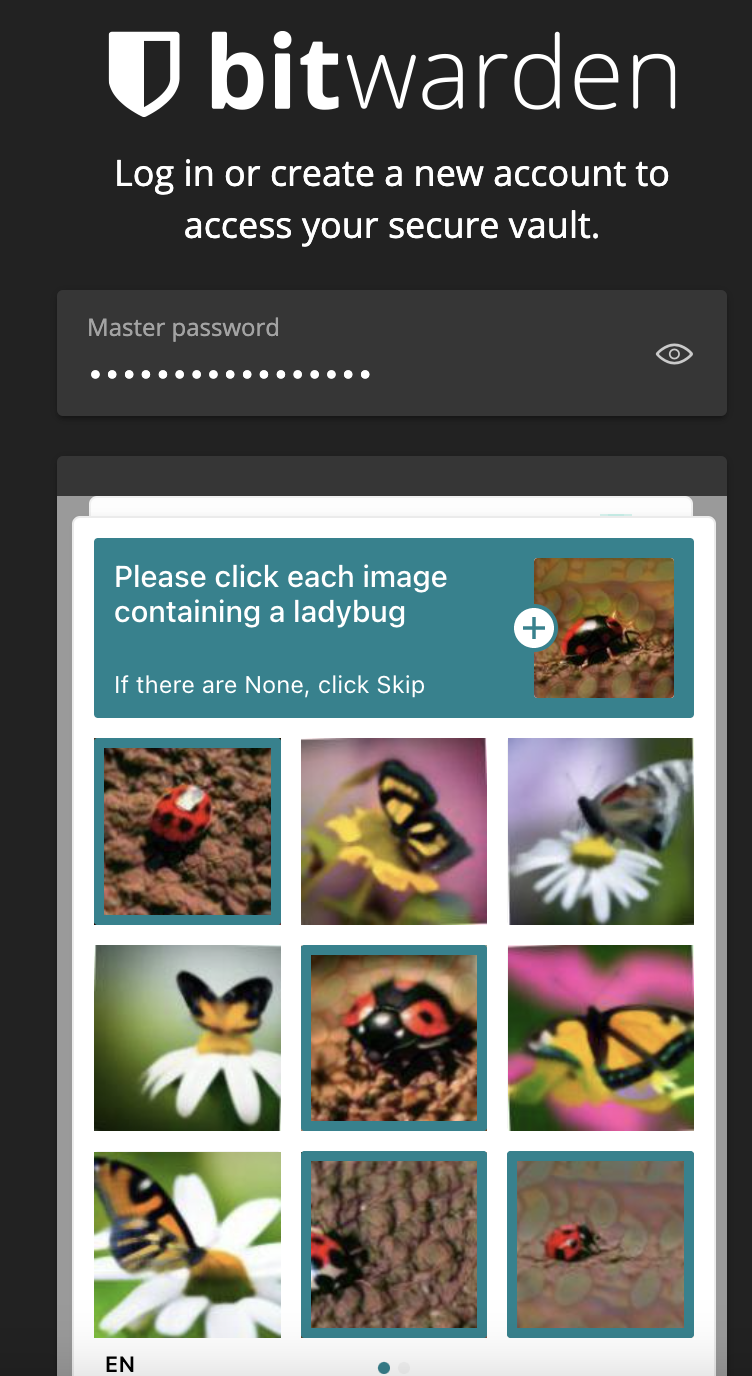
Unlocking my vault and being presented with a grid of ladybugs and butterflies. Nine images, click the right ones, get it wrong, do it again.
I understand why it's there. Bitwarden serve a login endpoint to the whole internet and they need to fend off credential stuffing. hCaptcha is the pragmatic answer.
The trouble is what it does to your habits. A password manager works when unlocking it is fast enough that you never route around it. Make unlocking a chore and you start leaving the vault open, or you start remembering the handful of passwords you use most and reusing one "for this site only". The CAPTCHA is a security control that pushes me towards worse security everywhere else.
I hit it often enough on new devices and after clearing cookies that it stopped feeling like an edge case.
No drag and drop
I have a vault with several hundred items in it, split across a personal vault and one for Cohoda. Housekeeping is a regular job.
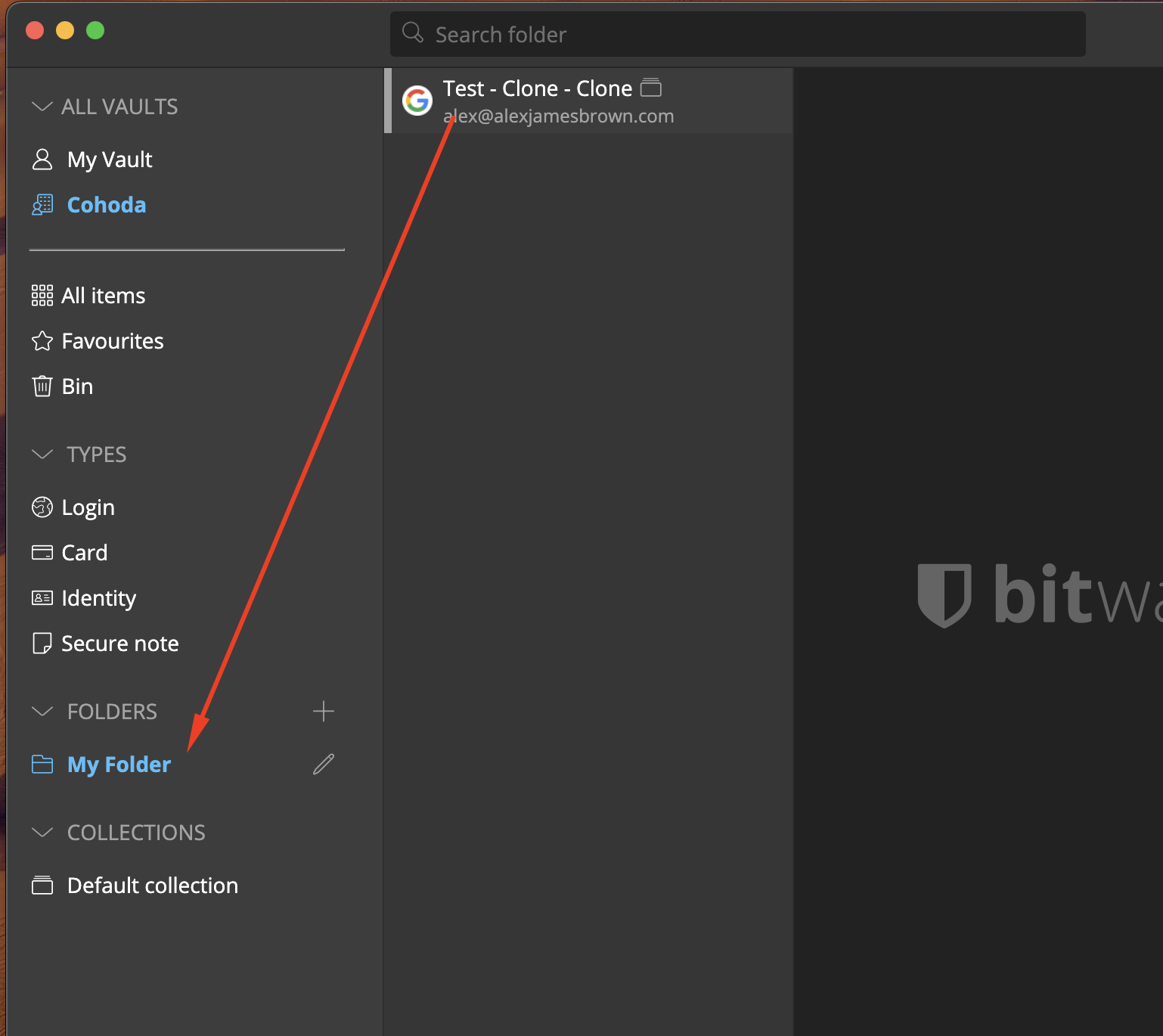
If I want to move that item into that folder, the obvious gesture is to drag it there. You can't. You open the item, click edit, find the folder dropdown, select the folder, save, close.
Once, that's nothing. Fifty times, reorganising after a migration, and you've lost an afternoon.
No right click
Related, and equally small, and equally grating.
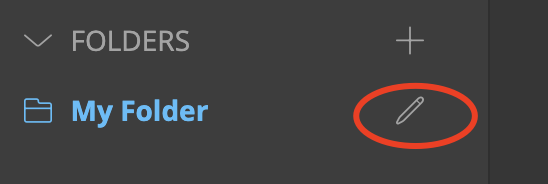
Want to rename a folder? There's no context menu. You hover, a pencil appears at the right-hand edge of the row, and you click that. Discoverable once, remembered forever, but it tells you where the team spent their time.
Bitwarden's browser extension is good. The desktop app, at the time I was evaluating it, felt like the browser extension in a window.
What 1Password does that keeps me there
Being fair about the other side of the comparison:
- Watchtower. Flags reused passwords, ones caught in breaches, sites that support 2FA where I haven't enabled it, and expiring cards. Bitwarden's reports cover most of this, but Watchtower puts it in front of me instead of waiting for me to go and look.
- Sharing I don't have to think about. Cohoda's shared vault, item-level sharing with clients, and a share link with an expiry on it for one-off credentials.
- Quick Access. Cmd+Shift+Space, type, enter. Fast enough that I don't think about it, which is the point.
- SSH agent and CLI.
op runinjects secrets into local dev without them touching a.envon disk, and it's become part of how I work.
The honest summary
1Password costs more and I don't control the servers. Both are real downsides and I'm not pretending otherwise. If self-hosting is a hard requirement for you, or the cost matters at your scale, Bitwarden is a defensible choice and you should take it.
For me the calculation comes down to how often I touch the thing. I unlock a password manager dozens of times a day, and so does everyone I work with. Shave a second off each of those and the tool disappears into the background, which is where it belongs. Add a second, and people start working around it.
Written at the end of 2022. Bitwarden have shipped a lot since, including a rewritten desktop app. If you bounced off it for the same reasons, it's worth another look.